

Learn how to create local business video ads fast and affordably, no camera crew or editing skills needed. Discover practical steps, real examples, and tools to promote your business today.
Picture two local bakery businesses on the same street; same prices, same quality of work, maybe even the same hours.
But one of them has a short video on its Google profile showing the owner at work, a happy customer, and a quick shot of the shop. However, the other has none.
Which one do you think gets the call?
Of course, the one with a business video on its product page.
This guide will walk you through how to plan and create a short promotional video on a budget. Also, you will learn how to choose your message, prepare your materials, assemble the video, and get it ready to share.
Table of Contents
Key Takeaways
- Local business video ads build trust faster than photos or text because people can actually see your shop, your team, and your work before they ever walk through the door.
- You don’t need a camera crew or a big budget. A phone, good lighting, and the right editing tool are enough to start with local business video ads today.
- AI tools can write your script, generate captions, and even build a full video from a few photos, cutting your production time down to minutes instead of hours.
- Repurposing old footage into new local business video ads stretches your budget further than reshooting from scratch every time.
What is Video Marketing for Small Businesses?
Video marketing for a small business is simply using short video content on your website, Google profile, or social pages to show people what you do and why they should trust you, instead of relying only on photos or written descriptions.
Fortunately, it doesn’t require a marketing department or a big production budget.
For a local business, it usually means turning things you already have — your shop, your team, your work— into short clips that do the job of introducing your business before a customer ever calls or walks in.
Why Local Businesses Need Video Marketing
A short video of your business space, your staff, or a real customer talking about their experience feels believable in a way that’s hard to fake.
1. Video Builds Trust Faster Than Photos or Text
Seeing your business in motion, a real person, a real space, a real result, feels more believable than a paragraph of text or a single staged photo.
In addition, 85% of people have been convinced to buy a product or service by watching a video, which shows just how much weight video carries in the decision-making moment.
2. It Helps Your Business Get Found Online

Search engines tend to favour pages with video content, which matters a lot for a local business competing for visibility in its area.
A website with video is roughly 53 times more likely to appear on the front page of search results.
3. Video Keeps People on Your Page Longer
The longer someone stays on your website or listing, the more time they spend absorbing why they should choose you.
People typically spend 88% more time on websites that include video content compared to those without it. A short video embedded on your homepage or Google Business Profile can hold a visitor’s attention far longer than text alone.
4. Short Video Performs Best on the Platforms Your Customers Already Use
Most local customers are scrolling Instagram, Facebook, or TikTok, and short-form video is what tends to get the most attention there.
Short-form video is the most widely used content format among marketers, and it also delivers the strongest returns compared to other formats.
A 15-second promo clip is far more likely to get watched and shared than a written post announcing the same offer.
5. It No Longer Requires a Big Budget
This used to be the real barrier for small businesses, and it isn’t anymore.
AI-powered tools have brought the typical cost of producing a finished video down significantly, cutting what used to cost thousands per minute to a fraction of that.
What once required hiring a videographer and an editor can now be done by a business owner with a phone and the right tool.
6. Customers Are Actively Expecting It
This isn’t a nice-to-have anymore; it’s becoming the default expectation.
That said, 89% of consumers say they want to see more video content from the brands and businesses they engage with.
A local business without any video presence risks looking less active or less trustworthy than a competitor who’s already showing up on video, even if the actual quality of service is identical.
How to Create a Promotional Video Step by Step
For this walkthrough, imagine a local bakery wants to promote a weekend pastry offer. The owner already has a few product photos but has not created a video.
You can follow the same process with photos of your products, completed work, shop, menu items, or services.
Further, this process can be achieved using your prefered AI creative tools available at your reach.
However, this is my recommended approach for creating video ads for small businesses using WayaFrame AI Video Workspace.
Step 1: Choose the Offer and Prepare Your Materials
Start by writing down the essential details of the promotion.
For the bakery example, these might include:
- Business: A local bakery.
- Promotion: A weekend pastry offer.
- Main message: Let customers know what is available.
- Important details: The offer dates, price if applicable, and how customers can order or visit.
- Materials: Photos of the pastries, the shop, or the products being prepared.
Use real photos wherever possible. They give viewers a direct look at what the business actually offers.
If you do not have suitable images, consider taking a few with your phone. Photograph the product in good light, keep the background reasonably tidy, and take more than one shot so you have options.
You do not need to collect every image you have. Start with a small selection that supports the main message.
Step 2: Write a Short Script
Once you know what the video is promoting, write the message before arranging the visuals.
A simple structure works well:
- Introduce the product or offer.
- Give the viewer the important details.
- Tell them what to do next.
For example, a bakery might use this draft:
Looking for a weekend treat? Stop by and explore our pastry selection. Our weekend offer is available on 25th of next month. Visit us at 123 Main St, New York, NY 10001 or contact us at vicbakery@gmail.com to find out more.
If the promotion has a specific price, eligibility condition, or limited quantity, make sure the wording reflects the actual offer.
If you want help developing the wording, test WayaFrame’s AI script writer with your business type, offer, audience, and desired tone.
- From your WayaFrame library interface, click on “AI Generate” and click on “Script”
- Input your prompt into the script generator interface. Something like “thirty-second ad for a weekend discount at a local bakery” is enough to give you a short script or talking points.
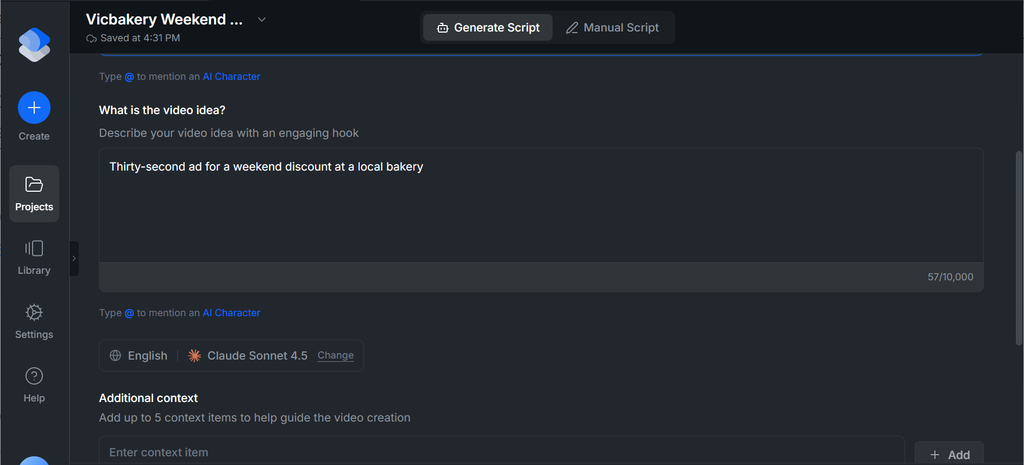
Before you click the “Generate Script” button, fill out the options below that give your hook direction:
- Your hook language
- AI generation model
- Additional context
- Video tone & emotions
Scroll back up to view your generated hook for your product video.
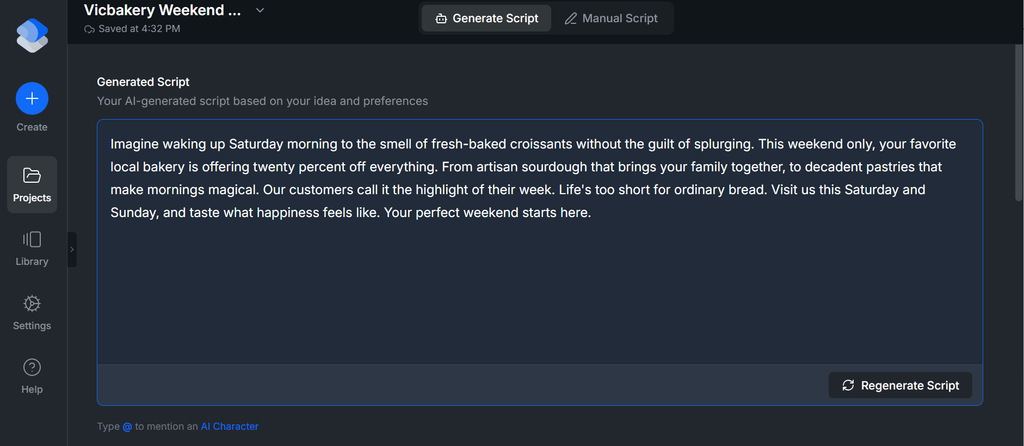
If you like the script, kindly save it for later use, and if you don’t, click on regenerate or highlight specific text or a paragraph to edit.
Step 3: Turn Your Photos Into a Video
Now you have a clear message and a set of relevant images. The next task is to arrange them into a sequence that makes sense.
For the bakery video, you might use this order:
- Open with an appealing photo of the pastries.
- Show another image that gives customers a better idea of the available products.
- Display the offer details.
- Finish with the bakery’s location, contact information, or call to action.
Keep each scene focused. If an image does not support the promotion, leave it out.
- This step can be achieved using WayaFrame’s “Image to Video” option under its “AI Generate” menu.
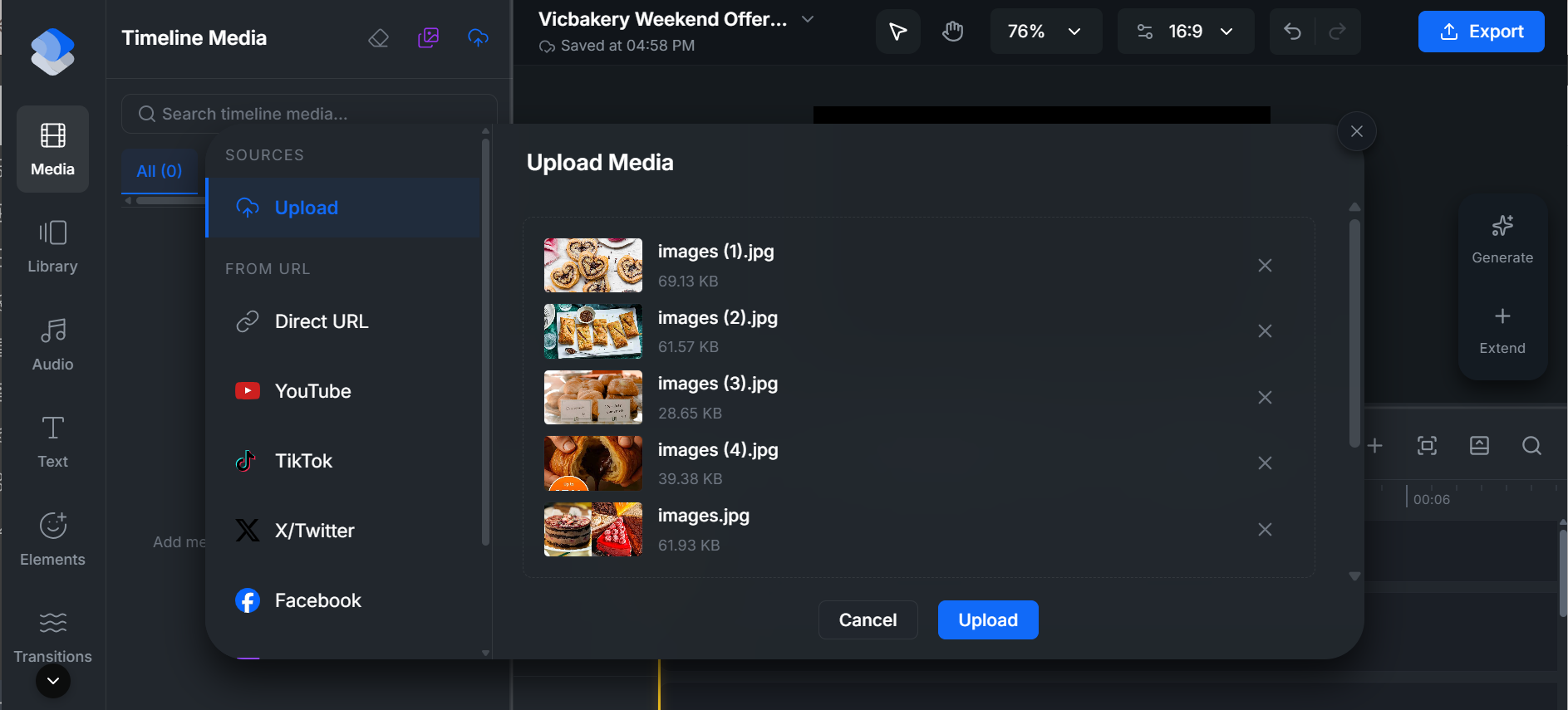
- Next, click on the “Upload media” icon at the top left of your editing interface. This lets you upload your appealing pastry images.
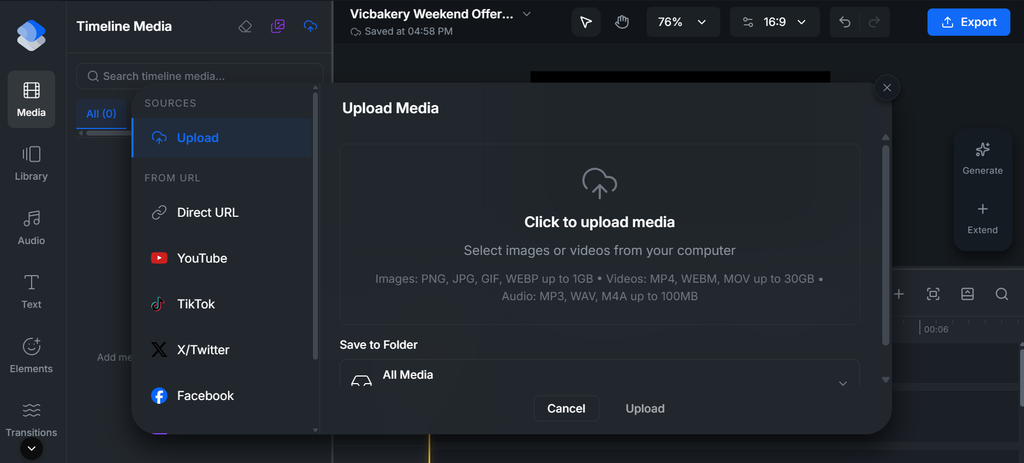
- Select your preferred images and click Upload.
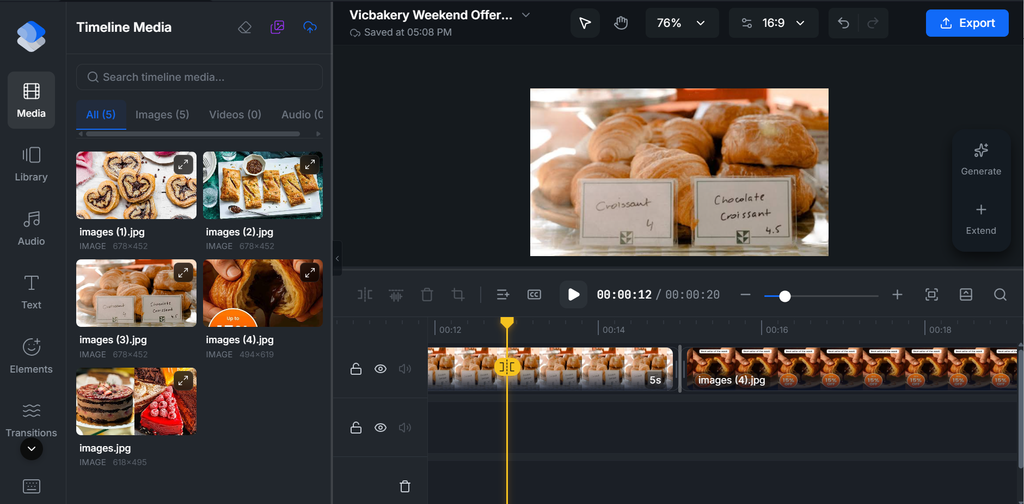
- Further, WayaFrame’s Timeline editing lets you arrange clips and photos in a logical order.
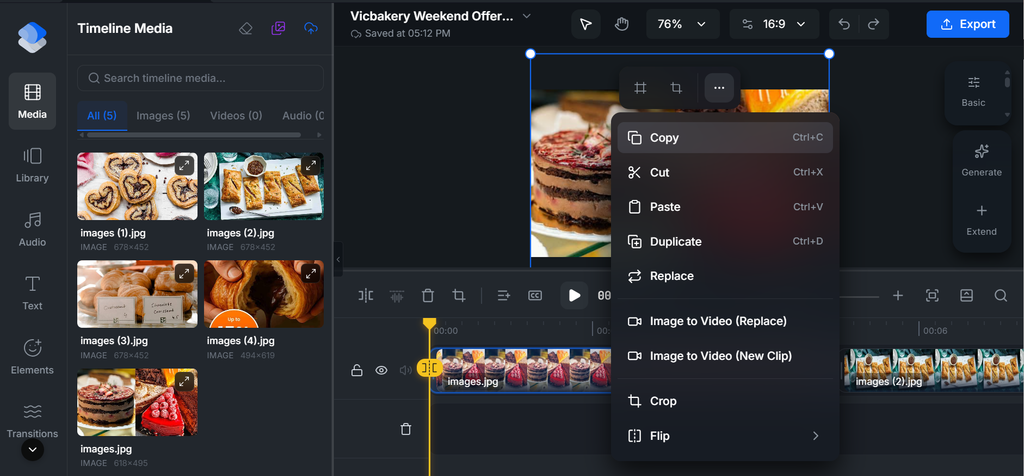
- To edit an image, highlight it and click the three dots.
Use your selected images to build the initial video, then review the order and pacing. The aim is to create a clear sequence, not simply to place every available photo on screen.
Step 4: Balance Narration and Other Audio
A video without background music often feels unfinished, but the wrong music competes with the narration. Hence, the goal is to select a sound that matches your explainer video.
If you add background music or sound effects, keep them subtle enough that they do not compete with the explanation. Use sound only when it serves the lesson or helps signal a meaningful transition.
WayaFrame provides you with 3 quick ways to add sound to your generated video:
- Music: These are already available music sounds you can use for free, ranging through a variety of categories. This includes upbeat, lofi, cinematic, ambient, corporate, retro, amongst other categories.
- Sound Effect: This type of audio makes an AI-generated explainer video feel realistic and human. Available sound effects include whoosh, glitch, laugh, magic, nature, amongst other options.
- AI music: WayaFrame AI music generator is called TuneDance. This WayaFrame feature generates music and sound effects that fit the mood of your lesson without needing a separate composer or a royalty-free music search that eats up half your afternoon.
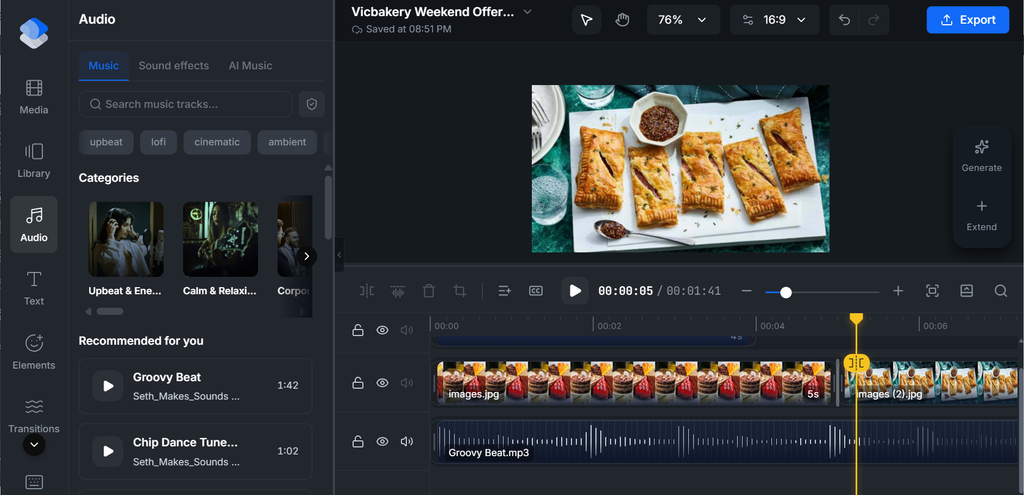
To utilize any of the available audio option, click on the “Audio” option on the right side of your editing interface.
Next, select your prefered choice, preview it and apply it to your video.
Step 5: Add the Essential Text and Captions
A viewer should be able to understand the promotion without having to search for the important information.
For the bakery example, the on-screen text could include:
- The name of the offer.
- The dates it is available.
- The price or conditions, if relevant.
- A clear next step, such as visiting the shop or contacting the business.
Keep text brief and readable. Avoid placing important details over a busy part of an image, and make sure the text remains visible long enough for people to read it.
- To do this, click on the “Text” icon on the left side of your timeline and select your preferred text format: heading or body.
- Insert your text and make further edits using the video timeline, such as text size, font style, colour, padding, among others. Most importantly, check that captions match the words actually spoken.
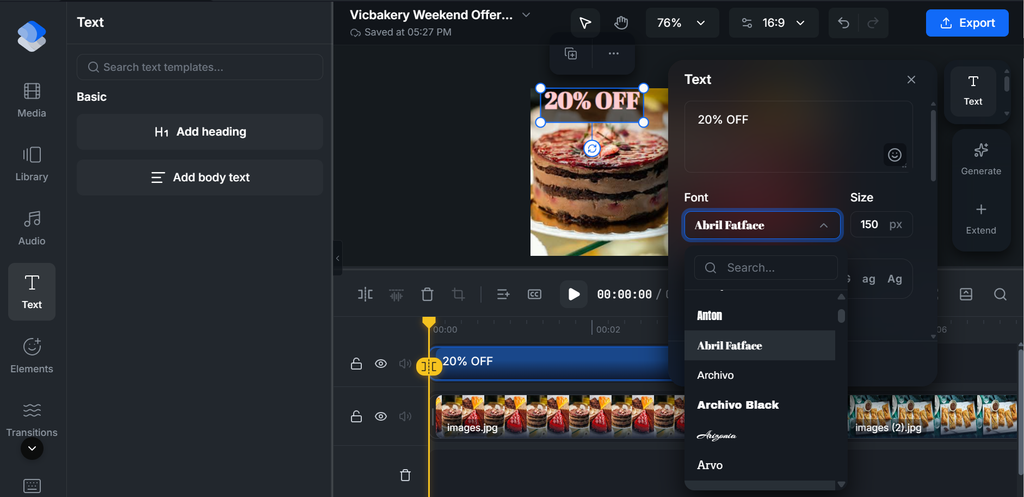
If the video includes spoken narration, captions can also help viewers follow the message when they are watching without sound. Review the captions for spelling, punctuation, names, and prices rather than assuming the automatic result is correct.
Step 6: Review the Video Before Exporting
Before sharing the video, review it as if you were a customer seeing the business for the first time.
Ask yourself:
- Can I understand the offer without additional explanation?
- Are the product images relevant and clear?
- Are the price, dates, and other details accurate?
- Is the text readable on a phone screen?
- Are the captions correct, if included?
- Does the ending tell viewers what to do next?
- Is there anything that feels unnecessary or distracting?
Pay particular attention to factual details. An attractive video can still cause confusion if it displays an incorrect price, an expired promotion, or an outdated phone number.
Step 7: Prepare the Video for the Platform You Plan to Use
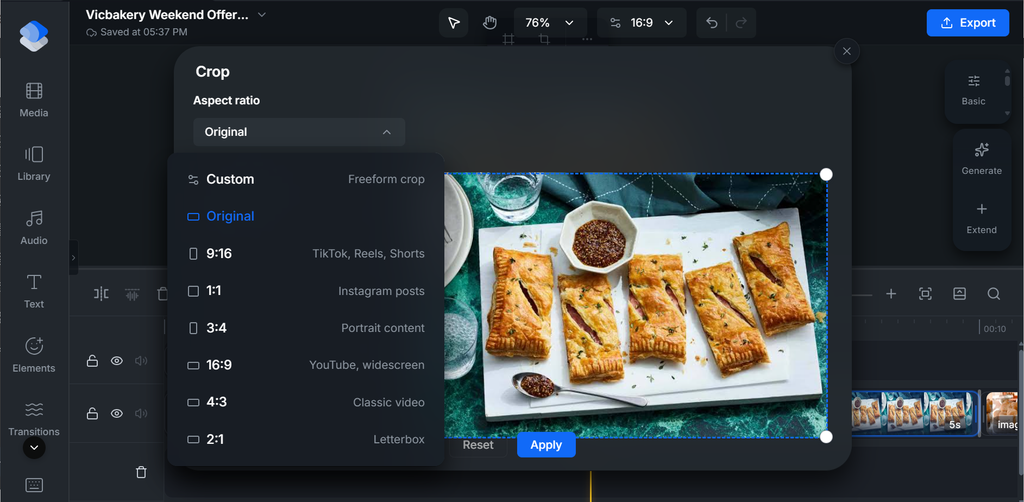
Once your video is finished, use the Aspect Ratio Changer to export it in the different shapes each platform actually needs:
- Instagram feed posts work best in a 1:1 square or 4:5 vertical ratio
- Reels and Stories need a 9:16 vertical ratio to fill the whole screen
- YouTube or your website calls for the standard 16:9 widescreen ratio.
Do not assume that one version will display equally well everywhere. Text near the edges may be cut off in some layouts, and a video designed for a vertical screen may look different when placed in a horizontal frame.
All of these can be exported from the same original edit on WayaFrame, so you’re reshaping one finished video for each platform instead of building it over again from scratch.
- On your editing timeline, click on the “Aspect Ratio” option on the selected image beside the 3 dots and choose or customise for your preferred option.
- Once you make your choice, it immediately reflects on your video for your review.
How to Keep Video Production Affordable
A tight budget shouldn’t stop you from creating quality videos for your business, nor should you break the bank to get started.
Here is the way out:
Start With Materials You Already Have
Look through your existing product photos, service images, event footage, or promotional materials before arranging a new shoot.
For a bakery, recent product photos may be enough to introduce a weekend offer. A repair business might have photos of a completed job, while a salon could show a service in progress with the customer’s permission.
Use existing materials only when they are accurate, relevant, and suitable for the promotion. If the offer has changed, update the visuals and wording rather than reusing outdated information.
Make One Video for One Purpose
Trying to advertise every product, service, and special offer at once can make the message harder to understand.
Start with one promotion or customer question. If you have several ideas, plan separate videos and reuse suitable materials where appropriate.
This also makes it easier to see which message you are testing and what you might change in the next version.
Keep the Editing Simple
Use effects, transitions, music, and text only when they support the message. Too many visual elements can distract viewers from the product or offer.
A straightforward sequence with clear images and readable text is a sensible starting point. You can make further adjustments after reviewing the first version.
Reuse Good Materials Carefully
A product photo or a clip from a previous promotion may be useful again, provided it still represents the business accurately.
Check dates, prices, branding, product availability, and any other details that may have changed. Reusing a suitable asset can save preparation time, but it should not mean publishing an outdated promotion.
Review the Response to Your Video
After publishing, look at the signals that relate to your goal.
Depending on the platform and the information available to you, these might include enquiries, link clicks, bookings, calls, or visits to a relevant page. Views can help you understand reach, but they do not automatically tell you whether the promotion achieved its purpose.
Use what you learn to guide the next video. If customers are asking questions that the video could have answered, make the information clearer in your next version.
Local Business Video Ad Ideas You Can Film This Week
If you are unsure what to make after your first promotion, choose an idea that answers a real customer question or highlights something your business offers.
1. A product or menu highlight: Show a product, dish, service, or new item. Include the details customers need to know before ordering or visiting.
2. Meet the owner or team: Introduce the people behind the business and explain what customers can expect when they visit or work with you.
3. A service demonstration: Show a process, a useful detail, or a completed piece of work. Make sure you have permission to film people or property where necessary.
4. A new arrival or limited-time offer: Explain what is new, when it is available, and how customers can get it. Verify all dates, prices, and conditions before publishing.
5. A behind-the-scenes look: Give customers a glimpse of preparation, packaging, setup, or another part of your everyday work that helps explain your service.
6. An answer to a common question: Address something customers regularly ask about pricing, process, availability, or how to get started. Keep the answer direct and useful.
Note: Choose an idea based on what your customers need to know, rather than making a video simply because a particular format is popular.
Where Do Local Video Ads Perform Best?
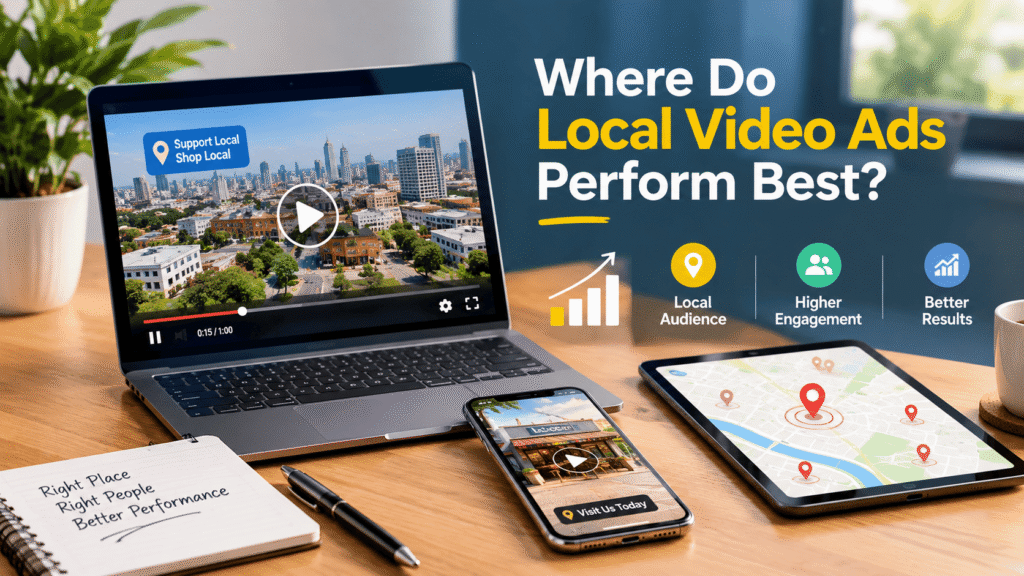
Not every platform deserves the same video. Here’s where local business video ads tend to do the most work:
- Google Business Profile, where a short video next to your listing builds instant credibility
- Facebook and Instagram Reels and Stories, which let you target people by city or zip code
- TikTok, especially for businesses that serve a younger or community-focused crowd
- Your website’s homepage or a landing page for a specific offer
- Email and text follow-ups, where a video thumbnail alone can boost open rates
Frequently Asked Questions
No.
A smartphone, decent lighting, and a simple editing tool are enough to get started. AI-powered video tools now handle scripting, editing, and formatting, so you can produce a polished local business video ad without hiring a videographer or investing in expensive gear.
The cost depends on the materials you already have, whether you need to film anything new, the tools you choose, and the time required to prepare and edit the video.
Starting with existing assets and a simple concept can help you avoid unnecessary production work. Check the current pricing and any usage limits of the tools you decide to use before budgeting for a project.
The best-performing spots are your Google Business Profile, Facebook and Instagram Reels/Stories, TikTok (especially for younger or community-focused audiences), your website’s homepage or landing pages, and even email or text follow-ups where a video thumbnail can boost open rates.
There is no single length that suits every promotion. Keep the video as short as you can while still communicating the essential information.
A simple offer may need only a few scenes. A service demonstration or explanation may need more time. Review the final version and remove anything that does not support the main message.
Yes.
Because a large share of people watch social videos with the sound off. Without on-screen captions, a business risks losing most of its audience in the first few seconds, even if the video content itself is strong. Auto-caption tools make this an easy step to never skip.
Final Thoughts on Small Business Video Marketing
You do not have to create a video for every part of your business at once. Start with one offer, one product, or one question that matters to your customers.
Further, prepare the information, select relevant materials, build a straightforward sequence, and review the result before publishing. After you see how people respond, use what you learn to improve your next video.
If you want to carry out this process in a video workspace, WayaFrame is worth testing as part of your workflow. Begin with the tools needed for your chosen task, and keep the final video focused on what your customers need to know.

