Skip to content

Transitions

Transitions are visual effects that play when one clip ends and another begins, or at the start and end of a single clip. Wayaframe includes over 110 transition presets across 13 categories, from subtle crossfades to dramatic glitch effects.

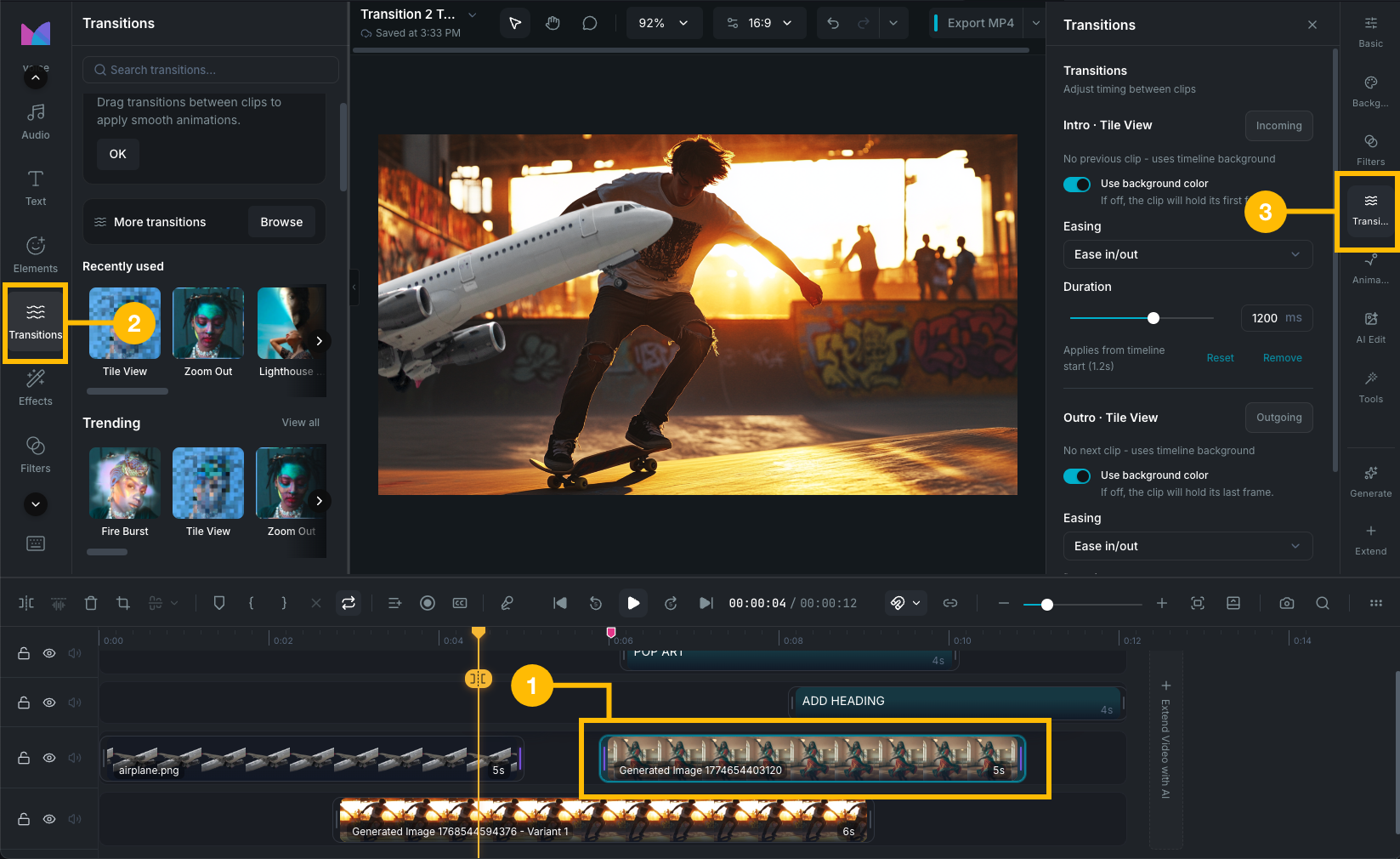
Transitions panel

Two types of transitions

Between-clip transitions

Applied between two adjacent clips on the same track. Both clips are visible during the transition as one fades out and the other fades in. The transition creates a brief overlap where both clips blend together.

Edge transitions (intro and outro)

Applied to the start or end of a single clip. An intro transition fades the clip in from the canvas background. An outro transition fades the clip out to the canvas background. These are used when a clip has no neighbor on one side, such as the first or last clip on a track.

A clip can have both an intro and an outro transition at the same time.

Browsing transitions

Open the Transitions tab in the editor's left sidebar to browse the transition library.

  • Search: type to filter transitions by name.
  • Recently used: your last-used transitions appear at the top for quick access.
  • Categories: transitions are organized into groups. Click a category to expand it.

Each preset has a thumbnail preview. Hover over a preset to see an animated preview.

Categories

  • Trending: popular presets like Fire Burst, Zoom Punch, Whip Pan, Beat Drop, and RGB Split.
  • Atmosphere: cinematic mood transitions like Fireworks Blast, Starry Mountain, and Arctic Flare.
  • Classic: traditional editorial transitions like Overlap Fade, Tilt Switch, and Vintage Frame.
  • Hits: high-impact cuts like Flash Cut, Snap Zoom, Glitch Jump, and Neon Pulse.
  • Overlay: layered effects like Checker Overlay, Fairy Snow, and Flare Overlay.
  • Light: light-based effects like Fireworks Flare, Laser Reflection, and Sunbeam Sweep.
  • Movement: motion-driven transitions like Quad Turns, Skyline Shift, and Bounce Drop.
  • Blur: soft focus transitions like Skewed Aperture, Soft Unfocus, and Telephoto Zoom.
  • Basic: clean structural transitions like Book Flip, Clean Crossfade, Page Curl, and Diamond Cascade.
  • Slide: directional push effects like Lightray Slide, Slice Jump, and Deck Swipe.
  • Mask: shape-masked reveals like Snowflake Mask, Ripple Ring, and Luminance Melt.
  • Glitch: digital distortion transitions like Multi Filter, Beyond Time, and Scanline Shift.
  • Distortion: warped effects like Oilpaint Rip, Wave Warp, Liquid Glass, and Morph Blend.

Supported clip types

Transitions work on these clip types:

  • Video clips (not audio-only)
  • Image clips
  • Text clips
  • Sticker clips
  • Chart and waveform effect clips

Audio-only clips and split-screen clips do not support transitions. Both clips in a between-clip transition must be on the same track.

Wayaframe Help Center