Skip to content

Last updated on April 25, 2026

Get Help

Wayaframe includes two built-in ways to get help: the Get Help modal for self-service resources and contacting support, and the Feedback & Suggestions modal for reporting bugs and sharing product feedback.

Get Help modal

Open the Get Help modal from the ? icon in the app titlebar or from the Help menu.

Self-service resources

The modal starts with three ways to find answers yourself:

  • Search documentation: type a query to search the documentation site directly.
  • Wayaframe Academy: opens video tutorials and courses.
  • Documentation: opens the full documentation site.

Contact Support

If you still need help, click Contact Support to send a message directly to our team. Pick a topic, describe what you need, and attach any screenshots or recordings that help explain the issue. If you are signed in, your email is pre-filled so we can follow up.

Feedback & Suggestions modal

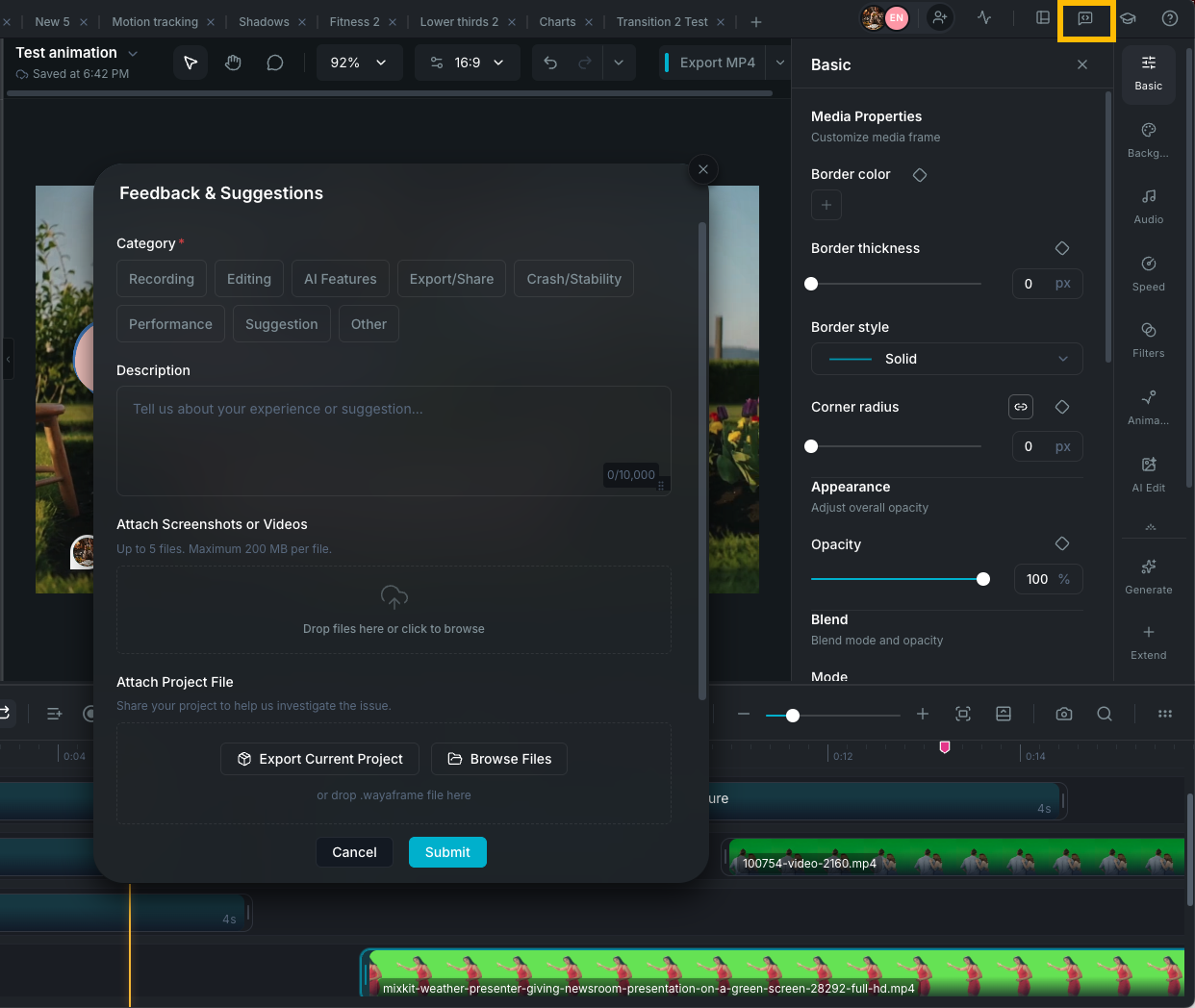
Open the Feedback & Suggestions modal from the titlebar menu or by clicking Report on an error message in the app.

Feedback and Suggestions modal

Use this modal to report bugs, suggest features, or share anything about your experience. Pick a category that matches your report, describe what happened, and attach any screenshots, recordings, or project files that help illustrate the issue.

Auto-filled context from export errors

When you click Report on an export error, the feedback modal opens with diagnostic context pre-filled, including the export format, resolution, track and clip counts, platform information, and the error stage (preparing, rendering, or finalizing). You do not need to fill in this information manually.

Tips for faster help

  • Describe the exact action that triggered the problem.
  • Include any visible error message text.
  • Attach a screenshot or short recording when the problem is visual.
  • Mention your operating system (macOS or Windows) and app version.
  • If the issue is project-specific, attach the project file — this is the single most helpful thing you can include.

Wayaframe Help Center