Skip to content

Script Generation

Wayaframe's script builder generates complete video scripts from a prompt. Each script is tailored to a specific video type and narrative style, so the output matches your content goals from the start.

Project workflow

Use the Script step inside the guided project creation flow when you want the script to feed directly into the next stages of production. The script you generate here is attached to the project and flows into voice generation and scene direction automatically.

Video types and niches

Before generating, you choose a video type. This shapes the prompt form and guides the AI toward the right structure and tone.

Available video types:

  • Brainrot, Viral Reels & Shorts
  • Kids' Stories
  • Creepypasta
  • Calm & Sleep Stories
  • VSL & Sales Videos
  • Ecommerce & Product Ads
  • Explainer Videos
  • Local Business Video
  • History & Docu Series

Each type includes multiple narrative styles. For example, Brainrot offers Reddit-Style Storytime, Did You Know, Motivation, Quiz & Guessing Games, 2-Person Dialogue Skit, News Explainers, and many more.

Generate a script

Fill in the prompt form for your chosen video type and click generate. The form fields vary by type:

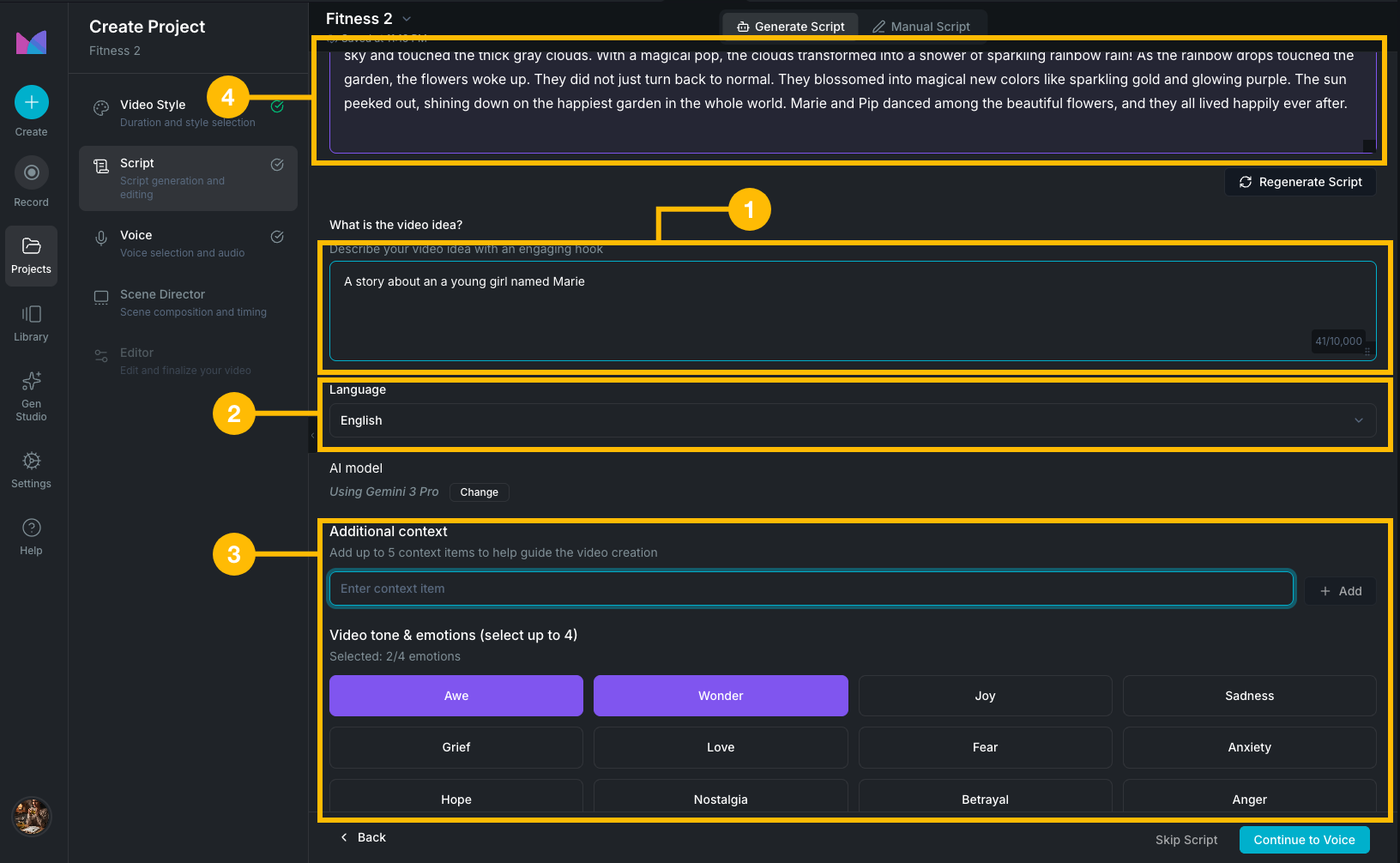
Project script step

Standard form (most video types)

  • Video Idea: describe what the video is about (up to 10,000 characters).
  • Language: choose the output language.
  • AI Model: select which model to use (Claude Sonnet 4.5, GPT-5.2, GPT-5.1, GPT-5, Gemini 2.5 Pro, Gemini 3 Pro, and others).
  • Additional Context: add up to 5 context items to guide the AI.
  • Emotions: select up to 4 emotional tones from 40+ options (e.g. inspired, shocked, calm, curious, suspenseful).

VSL & Sales Videos form

Sales videos follow a proven persuasion structure (hook, problem, solution, proof, offer, urgency, close). The more product detail you provide, the more specific and conversion-ready the generated script will be. Fields include:

  • Product Type, Name, and Description
  • Selling Price and Original Price
  • Features (up to 10)
  • Unique Selling Point
  • Money Back Guarantee (with timeframe and style options)
  • Bonuses (up to 10)
  • Scarcity messaging
  • Special Conditions (up to 10)

Local Business Video form

Local business videos need to speak to a specific audience, location, and offer. The form captures your business identity and promotion details so the AI generates a script specific to your business rather than a generic one. Fields include:

  • Business Name, Industry, and Description
  • Target Local Audience
  • Primary Goal
  • Video Summary and Main Hook
  • Tone & Vibe
  • What You're Promoting
  • Special Offer Details
  • Call-to-Action
  • Key Points to Include (up to 10)

Edit and refine with AI

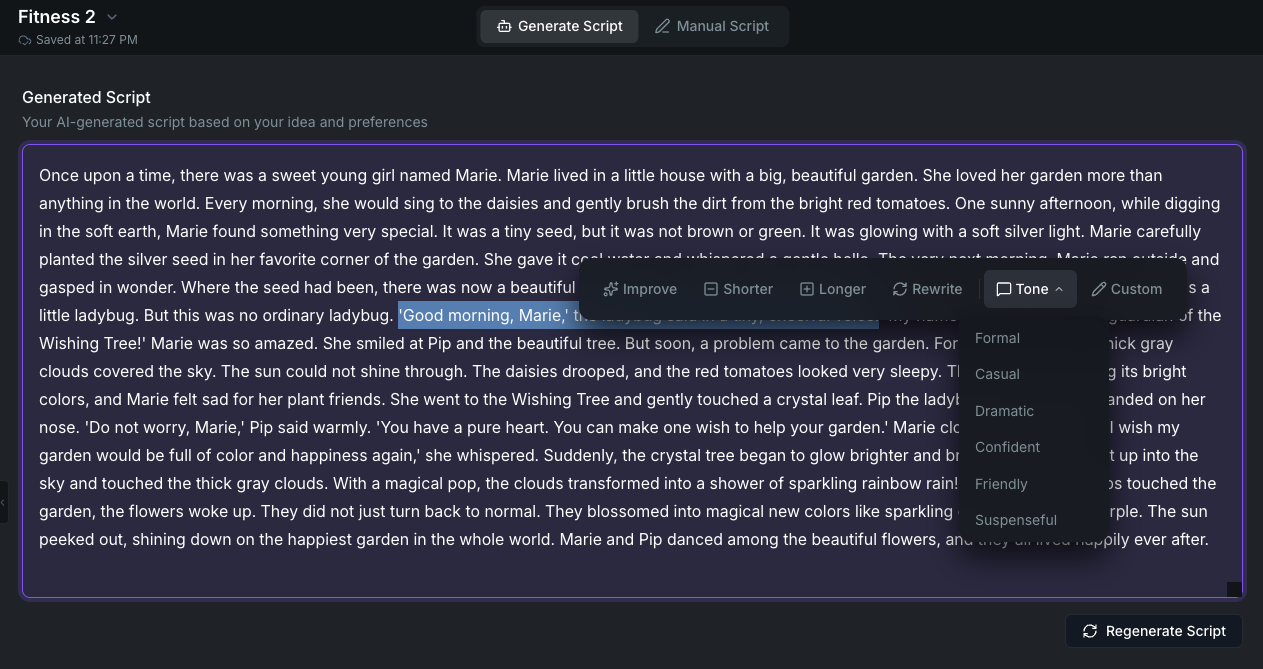
Script editor with AI toolbar

After generation, the script opens in an editor where you can edit the text directly or use AI-assisted tools.

Select any text and choose an action from the toolbar:

  • Improve: enhance clarity and quality.
  • Shorter: condense the selected section.
  • Longer: expand with more detail.
  • Rewrite: generate a fresh version.
  • Tone: shift to formal, casual, dramatic, confident, friendly, or suspenseful.
  • Custom instruction: describe what you want changed in your own words (up to 500 characters).

Each AI edit shows the original and suggested text side by side so you can compare them before deciding. You can accept, discard, or retry.

Use Regenerate Script to generate an entirely new script from the same form inputs.

Library workflow

You can also generate scripts from the Library as standalone reusable assets, separate from any project. This is best when you're drafting ideas, building a content library, or want to experiment before starting a project.

The Library uses the same video types, prompt forms, and editing tools described above.

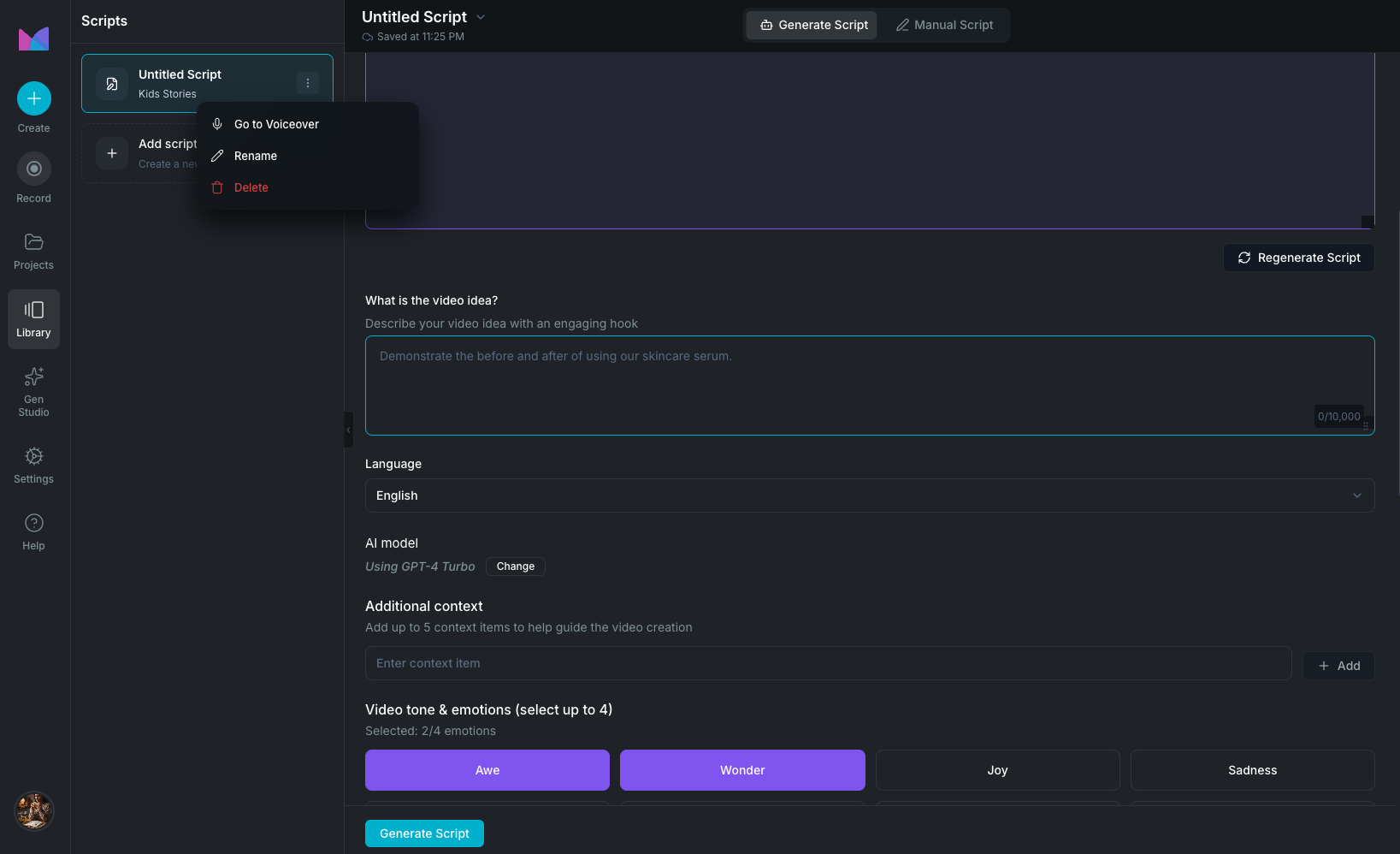
Library script workspace

Scripts saved in the Library persist across projects. From any saved Library script, you can:

  • Open and continue editing it at any time.
  • Click Create Voiceover to generate a linked voiceover. Wayaframe creates a new voiceover entry in the Library with the script text already attached. The two stay linked so changes in one are visible from the other.
  • Unlink the script from a voiceover at any time without deleting either.

In the project workflow, the script passes directly into the Voice step without needing to save or link manually.

Wayaframe Documentation